

GUI Prototype
A GUI prototype is a navigable version of the screens of an application, software or piece of equipment, used to check with real users how it is operated before it is programmed, while fixing a usability error still only takes a redesign.
Within our product development service, interface prototyping validates how a digital product or a piece of equipment is operated before investing in its development. We analyze current use, design the screens from sketches to high-fidelity prototypes, test them with users and, when the project calls for it, develop the functional version.
An interface programmed without testing it with the people who will use it accumulates handling errors, tasks that take longer than necessary and features nobody finds. Fixing this once the software is built means reprogramming, retraining users and, on the shop floor, delaying the adoption of automation.
Talk to a specialist
Request a free initial consultation; contact a consultant from our team of specialists

What is a GUI prototype?
What is it?
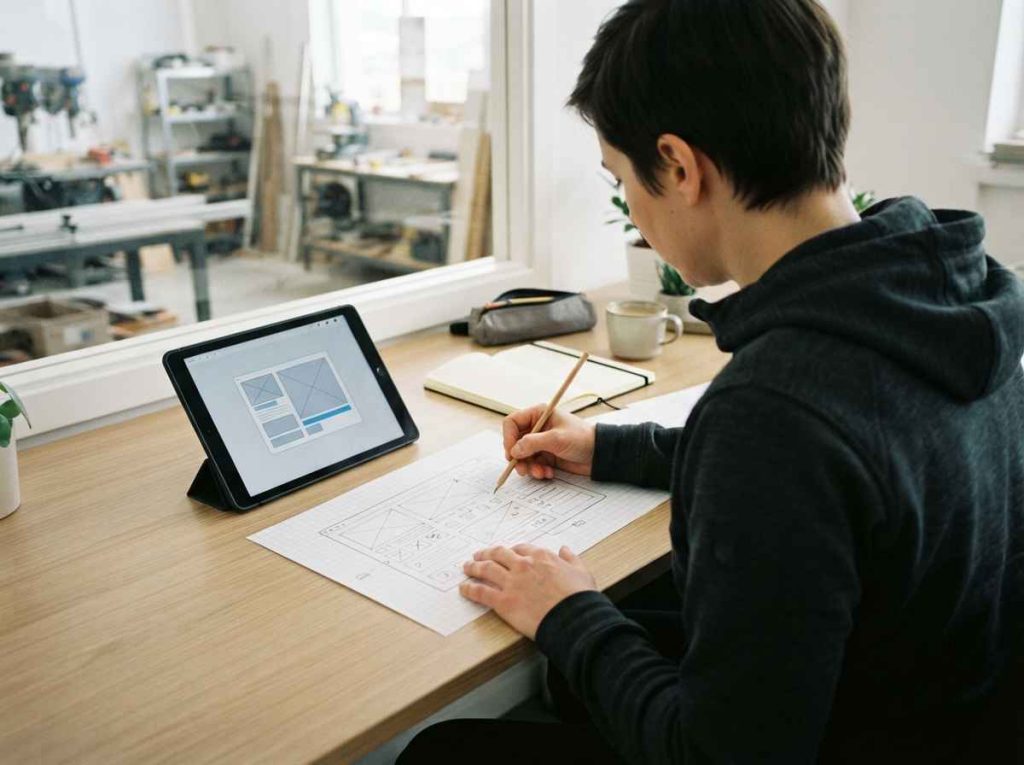
A GUI (graphical user interface) prototype is a representation of the screens of a digital product or a piece of equipment, with its content, its navigation and its responses to user actions, built to evaluate the interface before the final software is developed. It can range from screen sketches to a functional application with real data, depending on what needs to be validated and the stage the project has reached.
The interface determines whether software is used as designed. On a production line, a confusing screen slows the operator down and leads to skipped steps; in a customer app, a poorly designed flow makes users abandon the task; on a piece of equipment or an appliance, an unclear panel sends people to the manual. These usability problems do not show up in a technical review of the software, and they are detected by watching real users go through their usual tasks with the interface in front of them.
An interface prototype covers information architecture, task flows, visual hierarchy, text and terminology, and how the system responds to each action. It also takes the context of use into account, such as time pressure, lighting or the device, and it is evaluated with measurable indicators: time to complete each task, errors made and user satisfaction, which make it possible to compare design alternatives.
Interface prototyping at INFINITIA
We start from the context of use: who uses the interface, for which tasks and under what conditions. If an interface already exists, we analyze it with usability tests that quantify the most frequent errors, and we review competing solutions with a heuristic analysis, that is, by checking them against recognized interaction design principles.
With that information we draw up wireframes, discuss them with users and build a digital prototype with solutions to the problems detected, as in the redesign of the interface of production line software, later validated with usability tests with operators from the line itself.
When behavior needs to be checked with real data, we develop a functional prototype, as in the design and development of a mobile app to manage laboratory data, whose versions were tested in a simulator before the final Android and iOS app files were generated.
We deliver the validated prototype together with the results of the user tests: tasks evaluated, times, errors and satisfaction level, plus the changes they lead to. That documentation serves as a reference for the team that programs the final version and prevents the design from being reinterpreted.
Benefits of validating the interface before programming it
Benefits
It allows usability errors to be fixed while changing a screen costs hours of design work. A confusing flow, a button nobody can find or a term the user does not understand is resolved on the prototype, before it becomes part of software that would have to be reprogrammed and retested.
It measures usability with data. User tests on the prototype record the time for each task, errors and satisfaction, as in the evaluation of user interaction with an appointment app, and allow the new interface to be compared with the current one.
It reduces training and operating errors. An interface that follows the logic of the people using it needs fewer instructions and less supervision. In industrial settings, that means operators who complete their tasks without skipping steps and fewer incidents caused by incorrect handling.
It aligns customer, design and development. The prototype is a reference everyone can see and use: the customer validates what they will receive, the development team programs on screens that have already been tested, and design discussions are settled with test results.
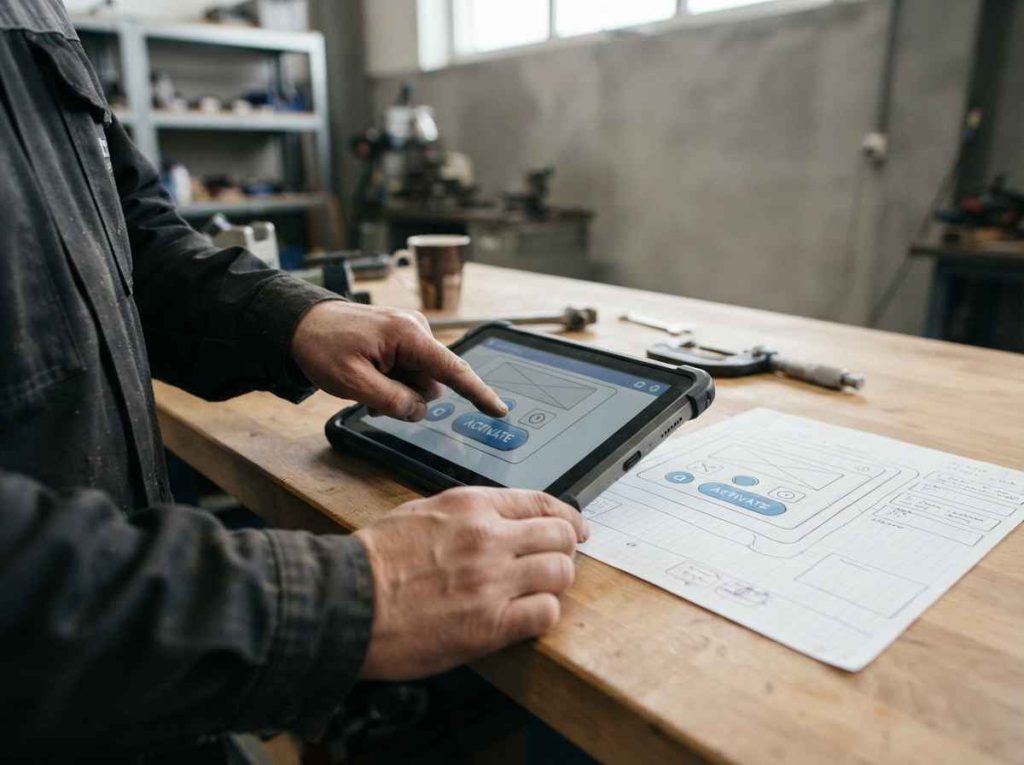
Interface prototype types by level of fidelity
Types
An interface prototype gains fidelity in stages. The first levels validate structure and navigation with little effort; the last ones validate visual perception and behavior with real data, when each change already costs more.
We choose the level according to the question the prototype has to answer and the stage the project has reached. It is not always necessary to go as far as a functional prototype: many design decisions are settled with a well-tested navigable prototype.
Wireframes and screen sketches
Wireframes are outlines of the screens that show what content appears, where it goes and how users move from one screen to another, without colors, images or final styling. They are quick to draw, cost nothing to change and allow the organization of information to be discussed with users before moving on to the visual design. In a project with several proposals, wireframes are the fastest way to compare them.
They answer whether the interface structure follows the logic of the tasks. They are used to compare alternatives with users in interviews or focus groups and to rule out layouts that do not work before spending time on graphic design. They also help agree with the customer on the scope of the interface and the number of screens.
Mid-fidelity navigable prototype
A navigable prototype links the screens so that users can go through the flows by clicking or tapping, as in the real application. The visual design is still simple, but the sequence of steps, the menus and the messages are already the intended ones, with sample data instead of real data. It is built with digital product prototyping tools, without writing code.
It shows whether users complete each task without help, where they hesitate and where they make mistakes. This is the level where many navigation and terminology problems tend to appear, and where fixing them is still cheap: the affected screens are modified and tested again with another group of users.
High-fidelity prototype
A high-fidelity prototype reproduces the final look of the interface: colors, fonts, icons, the states of each element and transitions. It is built with digital product prototyping tools, and users perceive it as the finished application even though there is no code behind it. It also allows error states, alerts and confirmation screens to be tested.
| Criterion | Wireframe | Navigable | High fidelity | Functional |
|---|---|---|---|---|
| Visual design | Schematic | Basic | Final | Final |
| Interaction | None | Flows | Flows and states | Real |
| Data | Sample | Sample | Sample | Real |
| Cost of a change | Very low | Low | Medium | High |
| Validates | Structure | Navigation | Perception | Behavior |
It is used to validate concepts with end users, measure the acceptance of new features and present the proposal to the customer or management with a faithful picture of the result, before committing the development budget. The table summarizes what each fidelity level validates and how much it costs to change something at each one.
Programmed functional prototype
A functional prototype is a first programmed version of the interface, such as a web or mobile app, that works with real data and connects to the systems or equipment it needs. It allows calculations, response times and behavior in cases a code-free prototype cannot simulate to be checked, and it is tested in simulators and on devices before the final version is closed.
It is the option when validation depends on data or on integration with other systems. It follows the logic of a minimum viable prototype: it includes only the functions needed to validate the product with real users and leaves for later those that do not affect that validation.
Equipment interfaces and embedded displays
Many industrial machines and household appliances include displays or control panels with their own graphical interface. Their prototype combines screen design with the physical product: mock-ups, renders and high-fidelity prototypes used to test with users how a function is programmed, how the operating mode is changed or how an alert is interpreted. The interface has to work with the buttons and screen size the equipment allows.
They validate the learning curve and the acceptance of new features before the equipment design is frozen. When the display has to work with the real electronics, the prototype is integrated with the product’s electronic prototyping.
Usability testing on the prototype
Usability testing consists of asking representative users to carry out specific tasks with the prototype while observing and recording how they do them. The time for each task, errors and hesitations are measured and complemented with questions on satisfaction and on how well each screen is understood. If a previous version exists, it is tested with the same tasks for comparison.
Tests are carried out in several rounds throughout the design: each round fixes the problems detected and the next one checks that the fix works. The results are documented to justify the changes and to compare the new interface with the previous one. That way every design decision is backed by what users actually did.
Sectors where validating the interface with users prevents usability errors
Sectors
Interface prototyping adds the most value where a poorly designed screen has consequences: operators who slow down a line, professionals who make mistakes when recording data or customers who cannot use a product that works well technically.
In all of them, testing the interface with its real users before programming it allows the design to be finalized with real usage data instead of assumptions about how people work.
GUI prototype in machinery and industry: plant software and HMI
On machinery and production lines, operators use control screens (HMI, human-machine interface) and plant software under time pressure, sometimes wearing gloves and with their attention split between the screen and the machine.
- Plant software: redesign of interfaces that slow down automation because of operator handling errors.
- Machine screens: organization of modes, alarms and parameters so they can be read at a glance.
- Validation: usability tests with real operators measuring task times and errors.
An interface validated on the shop floor reduces the training needed and operating errors from the first day the machine or software is used, and helps operators make the most of automation.
GUI prototype in healthcare: apps and devices with displays
In healthcare and pharma, management apps, medical devices with displays and laboratory software are used by very different profiles, from professionals short on time to patients with no technical training.
- Management apps: appointment, record and query flows tested with professionals and patients.
- Devices with displays: messages, alerts and operating steps that are understood without checking the manual.
- Data entry: screens that reduce errors when entering and looking up information.
Testing the interface with every user profile before programming it avoids costly redesigns once the app or device is already being used by patients and professionals.
GUI prototype in consumer goods: appliances and companion apps
In connected appliances and consumer products, the interface of the panel and of the mobile app determines whether users take advantage of the product’s features or stick to the basics.
- Control panels: new interfaces tested with users to measure their acceptance and learning curve.
- Companion apps: remote control, programs and notifications organized around real usage habits.
- New features: validation of user interest before developing them and adding them to the product.
High-fidelity prototypes help decide which features to include and how to present them before the design of the product and its companion app is frozen, based on real usage data.
GUI prototype in electronic equipment: configuration and monitoring
In professional electrical and electronic equipment, the configuration and monitoring interface, on the device itself or in computer software, packs many parameters into a small space.
- Configuration: menus and wizards that guide setup without relying on a specialist technician.
- Monitoring: real-time data display with alarms that equipment users can interpret easily.
- Control software: computer applications to operate the equipment and log tests without programming.
A navigable prototype of the configuration helps detect the steps that cause errors before they are programmed into the equipment firmware or software, while fixing them is still simple and cheap.
GUI prototype in mobility: in-vehicle displays and service apps
In automotive and mobility services, in-vehicle displays and booking, payment or maintenance apps are used on the move, with little time and often outdoors.
- In-vehicle displays: essential information organized to be read at a quick glance without distracting from driving.
- Service apps: booking, unlocking, payment and incident flows tested with real users.
- Context of use: tests under conditions close to real ones in terms of light, time pressure, noise and device.
Validating the interface in its context of use avoids discovering, once the service has launched, that some users cannot complete the main tasks or need help to do so.
GUI prototype in chemicals: laboratory and process software
In the chemical industry, laboratory software and process control screens handle precise data, and an error when entering or reading it directly affects the results.
- Laboratory apps: data recording and calculation on mobile or desktop devices, with controls that prevent input errors.
- Guided flows: interactive wizards that take users through the process step by step and document it.
- Visualization: process monitoring screens that clearly highlight deviations and alarms.
A functional prototype tested with technicians makes it possible to debug calculations and flows before the app is used with real production or customer data.
A user-validated interface as the foundation for software development
Value
Validating the interface with a prototype before programming it moves design decisions to the stage where they are cheap. The development team receives screens and flows that have already been tested, and the product reaches its users with the main usability problems solved and verified.
We plan each prototype together with the test plan that will evaluate it: who the users are, which tasks they have to complete and which indicators determine whether the interface works. That plan draws on user studies, which provide the understanding of real behavior on which the screens are designed and the results of each test round are interpreted. Each round documents what was tested, what failed and what was changed.
The approach also keeps development costs down: fidelity only increases when the question requires it, and code is written on a stable design, with fewer changes midway through the project. It is the practical application of UX design principles: designing from how people use the product and checking it with them. In regulated products or on the shop floor, that documentation also supports decisions in front of the customer or management.
If you are developing an application, software or equipment with a display, or want to improve an interface that causes errors or complaints, send us whatever you have: screenshots, sketches, the current software or a description of the tasks. We will propose the right prototype level and user tests, with timeline and budget, and deliver the validated prototype with the test results, ready for your team or ours to program the final version.

Frequently asked questions about GUI prototypes
FAQs
What is the difference between a wireframe, a mockup and a prototype?
A wireframe is an outline of the screen that defines what content appears and where, without visual styling. A mockup is a static image with the final look, showing colors, fonts and icons, but it does not respond to user actions. Both are useful for discussing the design, but not for measuring how it is used.
A prototype adds interaction: it links the screens so that users can go through the flows as in the real application. That is why it is the only one of the three that allows usability tests measuring task times and errors with real users.
What does a code-free interface prototype not validate?
It does not validate real response times, behavior with large volumes of data or integration with other systems or equipment. Nor does it validate edge cases that depend on calculations or data the prototype only simulates with examples.
What it does validate is the structure, navigation, terminology and perception of the interface, which is where many usability errors originate. When validation depends on real behavior, a programmed functional prototype is needed, tested in simulators and on the target devices.
Can an automated feature be validated before it is programmed?
Yes. If the question is whether users will use an automated feature, it can be tested with a prototype in which a hidden person produces the system’s responses. This is the approach of the Wizard of Oz technique, which measures the value of the feature before investing in developing it.
Technical feasibility is checked afterwards, with the real development. Separating the two questions avoids programming features users do not value and focuses development effort on the ones that actually improve their work or their experience with the product.
What level of fidelity does an interface prototype need?
Whatever is needed to answer the question that is open at that point in the project. Wireframes are enough to decide the structure; a navigable prototype to test navigation; a high-fidelity one to measure the perception and acceptance of a concept; and a functional one to check behavior with real data.
Moving up a level too early makes every change more expensive and gets users commenting on colors while the structure is still being decided. That is why fidelity increases as decisions are made and the design stabilizes.
How is an interface prototype tested with users?
Representative users from each profile are selected, asked to carry out specific tasks with the prototype and observed while they do so, recording times, errors and hesitations. At the end they are asked about their satisfaction and about anything they did not understand on each screen.
Tests are repeated in several rounds with small groups: each round fixes the problems detected and the next one checks the fix. That way changes are based on what was observed in testing, rather than on the design team’s preferences or a single person’s opinion.
How are users and managers involved in interface design?
In addition to testing, users take part from the start in interviews and focus groups where wireframes and alternatives are discussed. Co-creation sessions bring users, managers and the design team together to build proposals jointly.
Involving the people responsible for the product or process from the outset ensures that the interface also fits business goals and technical constraints, and makes it easier for the organization to adopt the result without resistance. It also reduces last-minute revisions to a design that is already well advanced.
What is handed over to the development team?
The validated prototype with all its screens, states and flows, and the user test results that justify each design decision. If the prototype is functional, its code is also delivered as a starting point for the final version.
With that documentation, the development team programs on a stable design and knows which usability problems have been solved and how. This prevents the design from being reinterpreted during programming and validated improvements from being lost along the way. If our team does the development, the functional prototype serves as its basis.
Can an interface prototype be used to improve existing software?
Yes. The current software is first analyzed with usability tests that identify and quantify the most frequent errors, complemented by user interviews and an analysis of competing solutions. With that information, the new interface is designed as a prototype.
The prototype is tested with the same users and the same tasks as the current software, so the improvement is measured by comparing times, errors and satisfaction. Reprogramming comes afterwards, on a redesign that has already been validated, and is limited to the changes shown to improve usability.
How much does a GUI prototype cost?
It depends on the number of screens and flows, the fidelity level, whether a programmed functional prototype is needed and the number of user test rounds. A navigable prototype covering a few tasks costs much less than a functional application with data integration and several rounds of testing.
To give you a firm figure, we need to know what interface you want to validate, for whom and with what goal. Send us that information and we will prepare a proposal with the recommended prototype level, the planned user tests and the timeline for each phase.
How long does it take to get an interface prototype?
Typical lead times range from one to four weeks, depending on the number of screens, the fidelity level and the rounds of user testing. Wireframes and navigable prototypes are the fastest; a programmed functional prototype needs more development time and testing on devices.
If you need the prototype by a specific date, such as a customer presentation or an internal decision, let us know from the start. We will use it to plan the fidelity level and the test rounds that can be completed in time.
What do I need to send to get started?
Send us a description of the product or software, its users and the main tasks they need to carry out with the interface. If a current version exists, add screenshots or access to it, and if you have sketches, design requirements or a corporate style guide, include them too.
Also tell us what you need the prototype for: validating a concept, improving an interface with problems, presenting the proposal to customers or management, or preparing development. With that information we will propose the scope and confirm timeline and budget before we start designing.
What should I do if users complain about an interface but I don’t know why?
Start by telling us what complaints you receive, from whom and in which tasks. The first step is to understand the problem together with the users themselves: observing how they use the interface, measuring where they make mistakes and asking them through in-depth interviews and focus groups.
With the causes identified, the prototype puts forward concrete solutions that are tested with the same users before the software is touched. That way the improvement addresses what is really failing and can be verified with data, by comparing the new interface with the current one.