

Mixed reality visualization
Mixed reality visualization makes it possible to see a full-scale 3D model integrated into the physical environment, walk around it and review it before the prototype is made, in order to detect errors of size, fit, assembly or use while fixing them only takes a change in CAD.
Within our product development service, this phase of mechanical development comes when the 3D model is defined and nothing has been made yet. We prepare the model to be viewed at 1:1 scale with mixed reality glasses and review it with the project team: size, clearances with its surroundings, assembly and maintenance access, and ergonomics of use.
A drawing or a screen does not convey well the real size of a product or how it relates to the space and to the people who will use it. Those errors usually show up with the first prototype or during installation, when fixing them already means remaking parts or tooling.
Talk to a specialist
Request a free initial consultation; contact a consultant from our team of specialists

What is mixed reality visualization?
What is it?
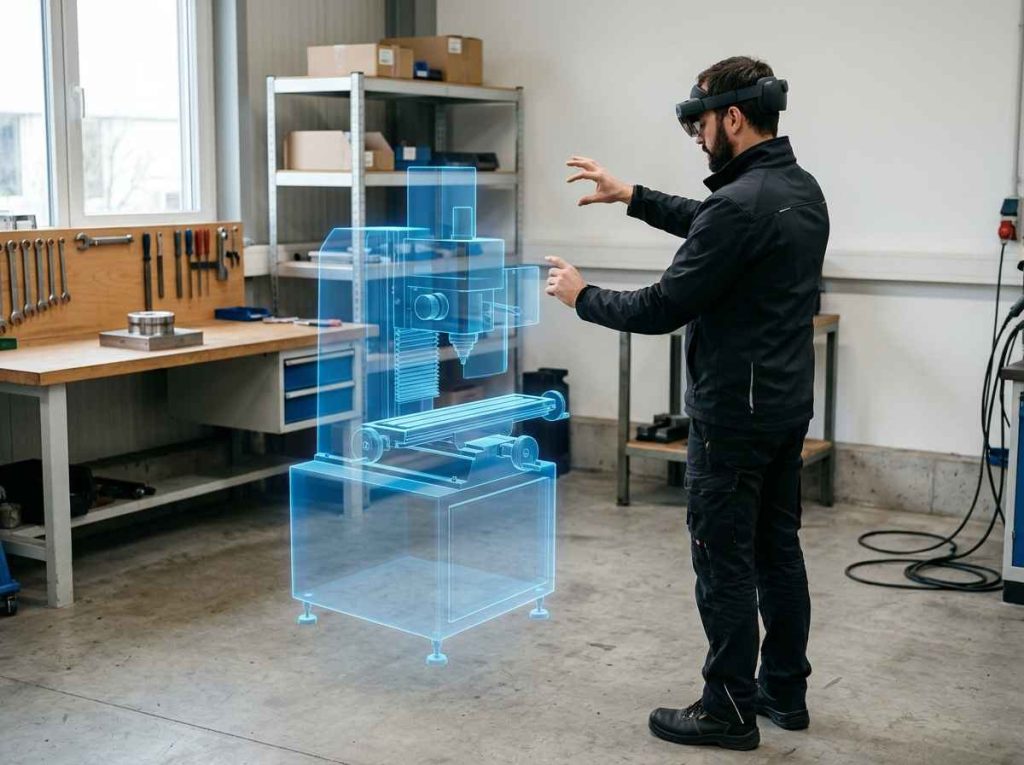
Mixed reality applied to product design consists of projecting a full-scale 3D model onto the physical environment through glasses that keep the model anchored in space. Whoever reviews it can walk around it, get closer, crouch down to see a hidden area or place it next to real objects. It serves to check what the product will be like in size and in use before a single part is made.
It differs from virtual reality, which replaces the environment with a simulated one, and from screen-based augmented reality, which overlays information on the image from a phone or tablet. In mixed reality the model coexists with the real space and with the people reviewing it. In product development it sits between CAD modeling and the physical prototype, when the design already has a shape but changing it is still cheap. It complements rendering and on-screen review, which remain useful for documenting and communicating the design.
A review examines the dimensions and proportions of the assembly, clearances with the surroundings (walls, machines, furniture), reach and visibility for the user, assembly and maintenance access, and the sequence in which the parts fit together. What mixed reality does not reproduce, such as weight, feel or strength, is left for the physical prototype. The changes that come out of the review are applied to the same model and viewed again in the next session.
Mixed reality reviews at INFINITIA
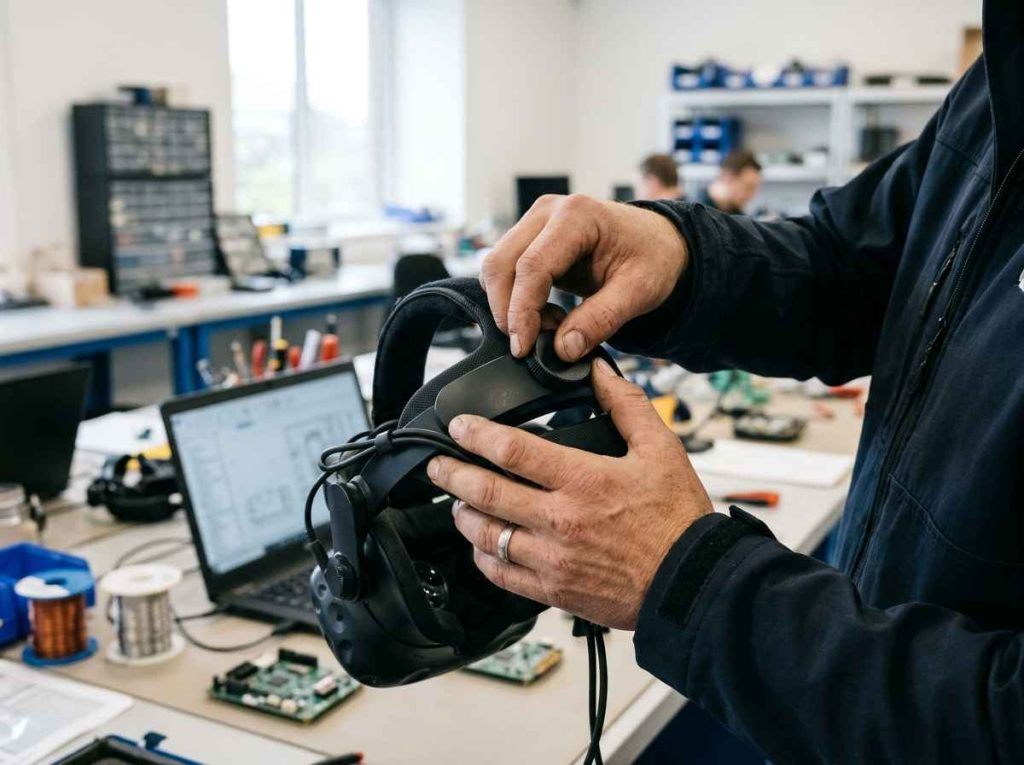
We start from the CAD model of the product, our own or the customer’s, and prepare it for visualization: we simplify the geometry that adds nothing to the review, assign colors that distinguish the subassemblies and check the scale. A well-prepared model moves smoothly and makes it possible to hide parts or separate them to see inside the assembly.
Before the session we define what needs to be checked: critical dimensions, fit within the space, access, reach and assembly sequence. With that list, each session checks specific points against a criterion set in advance. Each point is closed as correct, as a required change or as a test pending for the prototype.
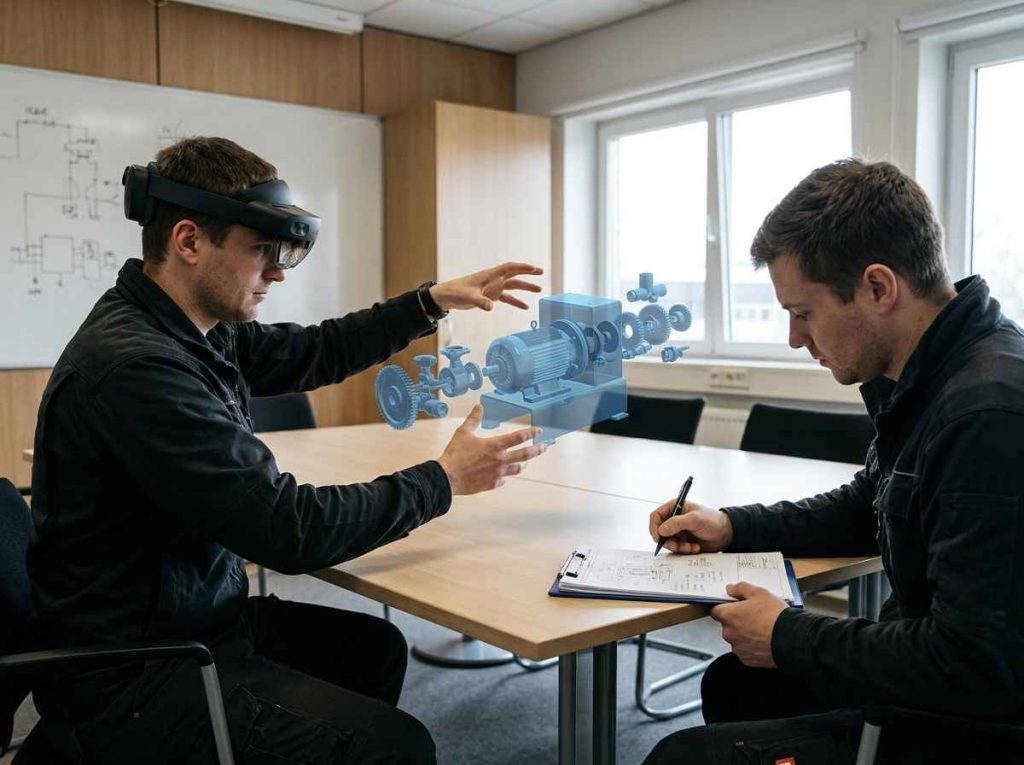
The review is carried out with the people who know the product and its use: design, production, maintenance or the end user. The user experience is then confirmed with physical parts, as in the design and prototyping of a coupling to validate the end-user experience, before industrialization.
The outcome is a review report with the observations, captures of the model in its environment and the proposed changes, which we carry over to the CAD model. Whatever the session could not close moves into the prototype validation plan, so that the first physical model arrives with the questions of size, fit and access already resolved.
Benefits of mixed reality in product development
Benefits
Detects errors of size, fit and use before the first prototype. A product that does not fit its space, a lid that cannot open next to the wall or a control out of the reach of the user become obvious at full scale. Fixing them on the model is a CAD change; discovering them in the prototype or during installation means remaking parts.
Puts the whole team in front of the same product. Not everyone who makes decisions about a design reads drawings or finds their way around a model on screen. At full scale, production, maintenance, quality or management give their opinion on the same thing and in time, and decisions are made in one session instead of several rounds of emails with screenshots.
Reduces prototype iterations. When questions of dimensions, access and ergonomics are resolved on the model, the physical prototype is reserved for what only it can validate: function, strength, materials and finish. Each prototype thus arrives with a clear objective and a defined acceptance criterion.
Makes it easier to present the product before it is made. A customer or an investor understands a product they can walk around at full size better than an image. A physical model is still valuable for the final presentation, as in the redesign of a functional and aesthetic prototype to show it to investors or customers, but mixed reality makes it possible to show intermediate versions without making them.
Applications of mixed reality in design review
Types
Mixed reality is applied at several stages of development with different goals: reviewing the design at scale, checking how it fits into a real space, assessing how a person uses it or explaining its assembly. The starting model is the same; its preparation and what is checked change.
We choose the application according to the main question in the project and the stage it is at. In a concept, size and proportion matter; in detailed design, clearances, access and assembly sequence. A single session can combine several applications.
Full-scale design review
A full-scale review places the complete model at 1:1 size to assess dimensions, proportions and volume, something that is lost on screen because everything appears at the same size. It is the most direct application and usually the first: it confirms that the product has the intended size and that its parts keep the right proportion to each other.
| Criterion | Render | Mixed reality | Physical prototype |
|---|---|---|---|
| Real scale | No | Yes | Yes |
| Relation to surroundings | Limited | Yes | Yes |
| Function and strength | No | No | Yes |
| Cost of each change | Low | Low | High |
| Time per iteration | Short | Short | Long |
It makes it possible to decide whether the design can move to prototype or whether dimensions should be adjusted first. The table summarizes what each visualization and validation tool provides: mixed reality prepares the prototype so that it arrives with size and proportion already decided and fewer pending changes. Each tool thus answers the question it resolves best.
Integrating the product into its real environment
Integration into the environment places the model where the product will go (a plant, a line, a room or a home) to check clearances with walls, machines and installations, walkways and space to open doors or remove components. This is where mixed reality adds most compared with rendering, because the environment does not have to be modeled: it is already there.
When the space has to be measured precisely or is complex, it is combined with 3D scanning and digitization of parts to bring the real geometry into CAD. It helps decide the layout of a piece of equipment, its maximum allowable size or the position of access points and connections.
Ergonomics and accessibility assessment
The ergonomic assessment checks the product from the point of view of the person who uses it: height and reach of controls, visibility of indicators, posture for loading or unloading and space for hands and tools. With the model at full scale, people of different heights can stand in front of it, adopt the working posture and point out what is not comfortable for them.
It guides decisions on the position of controls, working heights and access openings, and prepares the user studies that are later carried out with physical prototypes. What depends on forces, textures or weight is left for that stage, but it arrives with the general layout already reviewed.
Assembly and exploded-view visualization
Assembly visualization shows the assembly exploded and makes it possible to follow the assembly sequence part by part at full scale. It checks whether each component has room to reach its position, whether the tool can get to the screws and whether any part requires others to be removed during maintenance, a check that takes a lot of interpretation on a 2D drawing.
It helps reorder the assembly sequence, add locating features and detect interferences that go unnoticed on screen. It also serves to explain the assembly to production or a supplier before the parts exist, and as a basis for preparing assembly and maintenance instructions.
Comparing design alternatives
Comparing alternatives presents two or more versions of the design (configurations, sizes or component layouts) in the same session so that the team can choose between them using common criteria. The team switches between versions in the same place and assesses differences that are hard to appreciate in separate images. It is useful when the team is torn between size or layout options that look equivalent on screen.
It speeds up concept decisions that would otherwise require a prototype for each variant. The choice is documented with the criteria applied, and only the chosen alternative moves on to detailed design and prototype, with the resulting savings in time, parts and iterations.
Presenting the product to customers and investors
A mixed reality presentation shows the product at full size to customers, investors or sales teams before a physical unit exists. Unlike product rendering, which produces photorealistic images for catalogs or websites, here people can walk around the model and see it in a real space, next to reference objects that give a sense of its scale.
It serves to validate interest in a concept, gather opinions on size and appearance or support a funding round with something more tangible than an image. The feedback gathered goes back into the design before investing in the presentation prototype, which thus arrives with the decisions on form already made.
Industrial sectors where mixed reality adds value to design
Sectors
Mixed reality is useful wherever size, available space or interaction with people shape the design: machines installed in existing plants, equipment with frequent maintenance, everyday products or vehicle interiors.
Each sector focuses on a different check: access and safety in machinery, ergonomics in automotive and medical devices, space and proportion in consumer goods, or internal layout in electronic equipment.
Mixed reality visualization in automotive: interiors, access and in-line assembly
In automotive and mobility, interiors where every centimeter counts coexist with components that must be assembled in line without adjustments and maintenance areas that the operator has to reach with tools.
- Interior ergonomics: reach to controls, visibility from the seat and space for the occupant and their movements.
- In-line assembly: orientation of parts, tool access and sequence in each operation of the workstation.
- Maintenance: access to filters, connectors and wear items without removing other assemblies of the vehicle.
Reviewing these points at full scale on the model avoids modifying tooling or assembly stations once the design has been released for series production.
Mixed reality visualization in machinery: plant layout and operator safety
Machines and construction equipment are designed for specific spaces and coexist with operators, other machines and installations. A layout or access error is often discovered when the equipment is already in the plant.
- Layout: clearances with walls, columns, other machines, walkways and plant escape routes.
- Operator safety: position of guards, emergency stops and danger zones around the machine.
- Maintenance: space to open covers, remove heavy components and access with lifting equipment.
Placing the model in the real plant before manufacturing makes it possible to adjust dimensions, orientation and access while they are still design changes rather than building work.
Mixed reality visualization in consumer goods: size, proportion and everyday use
In household appliances, furniture and household products, perceived size and ease of use determine much of the acceptance of the product, and a screen easily misleads on scale.
- Proportion: size of the product compared with the space where it will be used and with other objects around it.
- Everyday use: working height, opening of doors and lids, reach to controls and visibility of indicators.
- Variants: comparison of size or configuration versions before choosing which one to prototype.
Mixed reality covers part of what a volume mockup answers, as explained in the article on the low-fidelity prototype, and reserves the physical model for validating materials and feel.
Mixed reality visualization in medical devices: clinician ergonomics and clinical space
Medical and laboratory equipment is installed in rooms with limited space, next to other equipment and operated by staff for many hours. Ergonomics and cleaning shape the design from the outset.
- Room integration: working space around the equipment, staff circulation and coexistence with other equipment.
- Clinician ergonomics: heights, reach and visibility of screens and indicators during long shifts.
- Cleaning and access: surfaces and areas that must be easy to clean, disinfect and inspect.
Reviewing the equipment at full scale with the staff who will use it provides very early observations on use, useful for the usability studies that are standard practice for medical devices.
Mixed reality visualization in electrical and electronic equipment: enclosures, wiring and access
In control panels, enclosures and electronic equipment, the mechanical design has to house boards, connectors, ventilation and cable runs, and leave access to install and maintain the equipment once it is fixed in place.
- Enclosures: internal space for boards and components and bend radii for the wiring without forcing it.
- Installation: access to terminals, connectors and cable glands with the equipment already fixed in its final position.
- Ventilation: distance from walls and other equipment for air inlet and outlet.
Seeing the equipment in its real location, open and exploded, makes it possible to correct the internal layout and installation distances before the first enclosure is made.
Mixed reality visualization in aerospace and defense: confined spaces and maintainability
In aerospace and defense, equipment is housed in very confined spaces (bays, cockpits, vehicles) and its maintenance must be quick and done with tools, often in unfavorable conditions and with very limited downtime.
- Available space: fit of the equipment, its connections and its brackets within the allocated volume.
- Maintainability: access to frequently replaced items without removing other equipment or assemblies.
- Operation: reach, visibility and clearance for the operator from their usual working position.
A full-scale review helps detect access problems and interferences that, if discovered in a prototype, would force the redesign of brackets, complete assemblies and procedures.
Design decisions made at full scale before the prototype
Value
Every error of size, fit or use detected on the model is a part that does not have to be remade. Reviewing the design at full scale with the people who will manufacture, maintain and use it gathers their observations in a single session and records them as concrete, documented decisions, taken while changing them only requires modifying the CAD model.
Mixed reality adds most when it accompanies the whole development process. That is why we place it after 3D modeling and repeat it at the major iterations, so that each version of the design is reviewed in its real context, with those who will manufacture and use it. Each session ends with a list of changes, pending checks and accepted decisions, which goes into the CAD model and the validation plan.
The savings come from the prototypes that do not have to be repeated. A prototype that arrives with size, access and ergonomics resolved focuses on what only a physical part can validate, as explained in the article on what a functional prototype does and does not validate. In products that are integrated into existing installations, it also avoids layout surprises, which are especially costly because they affect building work and commissioning schedules.
If you have a CAD design and want to check it at full scale before manufacturing, send us the model and tell us what concerns you: size, fit within a space, assembly or use. We will propose what to review and with whom, prepare the model for the session and deliver a report with the observations and recommended changes, so that the prototype starts with the questions of scale already answered.
Frequently asked questions about mixed reality visualization
FAQs
What can mixed reality not check?
Mixed reality does not reproduce the weight, feel, stiffness or mechanical behavior of the product, so it does not validate strength, operation, materials or finishes. Nor does it replace the measurement of fine tolerances, which are checked on the CAD model or on real parts.
That is why its role is to prepare the prototype. It resolves questions of size, fit, access and general ergonomics, and leaves to the physical prototype those that depend on the material itself: whether a part holds, whether a mechanism works or whether a finish conveys the quality the user expects.
For which products does mixed reality make most sense?
It makes most sense for medium and large products, or for those where it matters how they fit into a space or how people use them: machines, equipment installed in plants, furniture, household appliances, vehicle interiors or workstations. For these, a full-scale physical prototype is expensive and slow, and a screen does not convey size well.
For small parts that fit in the hand, it is usually quicker to 3D print a mockup, which can also be handled and assembled. There mixed reality adds little, unless the part needs to be seen assembled in a larger unit or in its environment of use.
At what stage of development should mixed reality be used?
It should be used as soon as there is a 3D model with the overall dimensions defined, even if the detail is not final, and repeated at the major iterations before drawings are released. At concept stage it serves to validate size and proportion; in detailed design, to review clearances, access and assembly before the geometry is frozen.
Its most valuable moment is just before the first physical prototype. At that point the design can still be changed without manufacturing cost, and every question resolved on the model is one less question for the prototype to answer, before molds or tooling are committed.
How accurate is the visualization of a full-scale model?
The geometry displayed comes directly from the CAD model, so the dimensions are those of the design. What depends on the equipment and the environment is how stably the model stays anchored in space, which is enough to assess sizes, general clearances and access, but not to verify tolerances of tenths of a millimeter.
When a dimension is critical, it is measured on the CAD model or checked on a physical part. Mixed reality serves to decide whether something fits, can be reached or can be assembled; fine dimensional verification is a job for metrology on real parts.
What is needed to prepare a CAD model for mixed reality?
What is needed is a 3D model of the product with its complete geometry and, if its integration is going to be reviewed, the measurements of the space where it will go. The model is simplified so that it displays smoothly, organized into subassemblies so that they can be hidden or exploded, and given colors that make it easier to read.
If the product does not yet have a model, the first step is to create it through 3D design and modeling using CAD, from sketches, 2D drawings or existing parts. A model designed from the start to be reviewed at full scale shortens the preparation.
Can the model be reviewed where the product will be installed?
Yes, and it is one of the most useful applications: the model is placed in the plant, room or line where it will be installed to check clearances, walkways and access against the real environment. This reveals interferences with elements that do not appear on the drawings, such as pipes, cable trays or equipment added over time.
For the check to be reliable, references are taken from the space and, if the environment is complex, it is digitized. The result makes it possible to fix the position of the equipment and its maximum dimensions before it is manufactured.
How is mixed reality combined with design risk analysis?
Design risk analysis identifies what can fail in assembly, use or maintenance, and a mixed reality review makes it possible to check several of those risks at full scale on the model. Interferences, difficult access or foreseeable misuse are easier to appreciate in space than in a matrix.
The observations from the session go back into the risk matrix as closed risks, design changes or tests pending for the prototype. Each observation from the review is thus linked to a traceable decision.
How are the observations from a review documented?
Each observation is recorded with the area of the model it refers to, a capture, who raised it and the decision taken: design change, pending check or acceptance. The resulting report is the basis for the next CAD iteration and makes it possible to check at the next session that each point has been resolved.
Documenting at this level of detail keeps a review with many participants from ending up as mere opinions. It also records why each decision was taken, which is useful when the design is picked up again months later or handed over to another team.
How much does a mixed reality review cost?
The cost depends mainly on the state of the model, the number of sessions and what needs to be reviewed. A complete, well-organized CAD model is prepared faster than one that has to be simplified or rebuilt, and a general size review requires less preparation than a complete assembly sequence.
To give you a firm figure we need to see the model and know which questions you want to answer. Send us the CAD model or, if you do not have one, the drawings or sketches available, and we will prepare a proposal with the scope and number of sessions.
How long does it take to prepare and carry out a review?
Typical lead times range from one to four weeks depending on the complexity of the model and the scope. Most of the time goes into preparing the model and the checklist; the session is scheduled with the team as soon as the model is ready, and the report is delivered afterwards.
If the project requires several iterations, each new review is faster because the model is already prepared and only the changes are added. Tell us what stage your design is at and what you want to review, and we will give you a realistic schedule.
What do I need to send to get started?
Send us the 3D model in a standard CAD format, such as STEP, together with a description of how and where the product will be used and the list of questions you want to answer. If the review includes integration into a space, add drawings or measurements of the site and, if available, photographs.
If you do not have a model yet, send us the sketches, 2D drawings or reference parts to start from. With that information we define what to review, what preparation the model needs and who should take part in the session on your side so that decisions are made there and then.
What happens to the design after the review?
The agreed changes are incorporated into the CAD model and, if they are significant, reviewed again before manufacturing. Whatever the session could not close, such as the function of a mechanism or the strength of a part, moves into the validation plan for the physical prototype.
The next step is usually to make a prototype, and the technology is chosen according to what remains to be validated, as explained in the article on prototyping technologies by tolerance and lead time. If you need it, we can also support you through that phase with the prototype and its testing.